Pharmacy POS Software in the UAE: Prescriptions, Expiry Alerts and TRN Compliance
August 10, 2026
Supermarket POS Software in the UAE: Weighing Scales, Perishables and Multi-Category Pricing
August 12, 2026
Scan the wrong item, and a customer gets overcharged or undercharged. Miscount stock during a transfer between branches, and one location runs out while another sits on excess inventory nobody can sell. For a retail business running more than a handful of SKUs, these aren’t rare mistakes, they’re the default outcome of manual counting and price lookups. Barcode scanning built into retail POS software removes most of that risk at the point where it actually starts: the moment an item is sold, received, or moved.
For retailers running multiple branches across the UAE, the same barcode data that speeds up checkout also becomes the backbone of accurate stock transfers between locations. Here’s how the two connect.
Table of Contents
Why Barcode Accuracy Matters More at Scale
A single-till shop with a hundred products can survive on manual price lookups and periodic stock counts. A retailer running several branches with thousands of SKUs cannot. Every manually entered price is a chance for a typo, every hand-counted shelf is a chance for a miscount, and those small errors compound quickly once they’re happening across multiple locations at once. Barcode scanning removes the manual step entirely: the price, product name and stock deduction all come from a single scan rather than someone typing or estimating.
How Barcode Scanning Speeds Up Checkout
At the till, barcode scanning cuts checkout time dramatically compared with manually searching for an item in a product list. Each scan pulls the correct price and description instantly and deducts the sale from stock in real time, so the shelf count updates the moment the item leaves the store rather than at the end of the day during a manual reconciliation. For busy retail floors, especially during weekend or promotional rushes, this difference in speed directly affects how long queues get and how many customers walk away rather than wait.
SKU and Variant Management
Most retail products aren’t a single item, they’re a range of sizes, colors or configurations, each of which needs its own barcode and its own stock count. A shirt in three sizes and four colors is really twelve separate SKUs, not one. Barcode-based POS software tracks each variant individually, so a store can see exactly which size or color is running low rather than a single combined count that hides the real picture.

This level of detail also makes reordering far more accurate, since a supplier order can specify exactly which variants need replenishing instead of a general restock guess.
How Multi-Branch Stock Transfers Work
When one branch is overstocked on an item and another is running low, moving stock between locations should be a quick, trackable process rather than an informal arrangement between store managers. With barcode-based transfers, a manager creates a transfer order in the POS, scans each item as it’s packed at the sending branch, and the receiving branch scans the same items on arrival to confirm the transfer matches exactly. Any discrepancy, whether a missing item or a wrong quantity, shows up immediately rather than being discovered weeks later during a stock count.
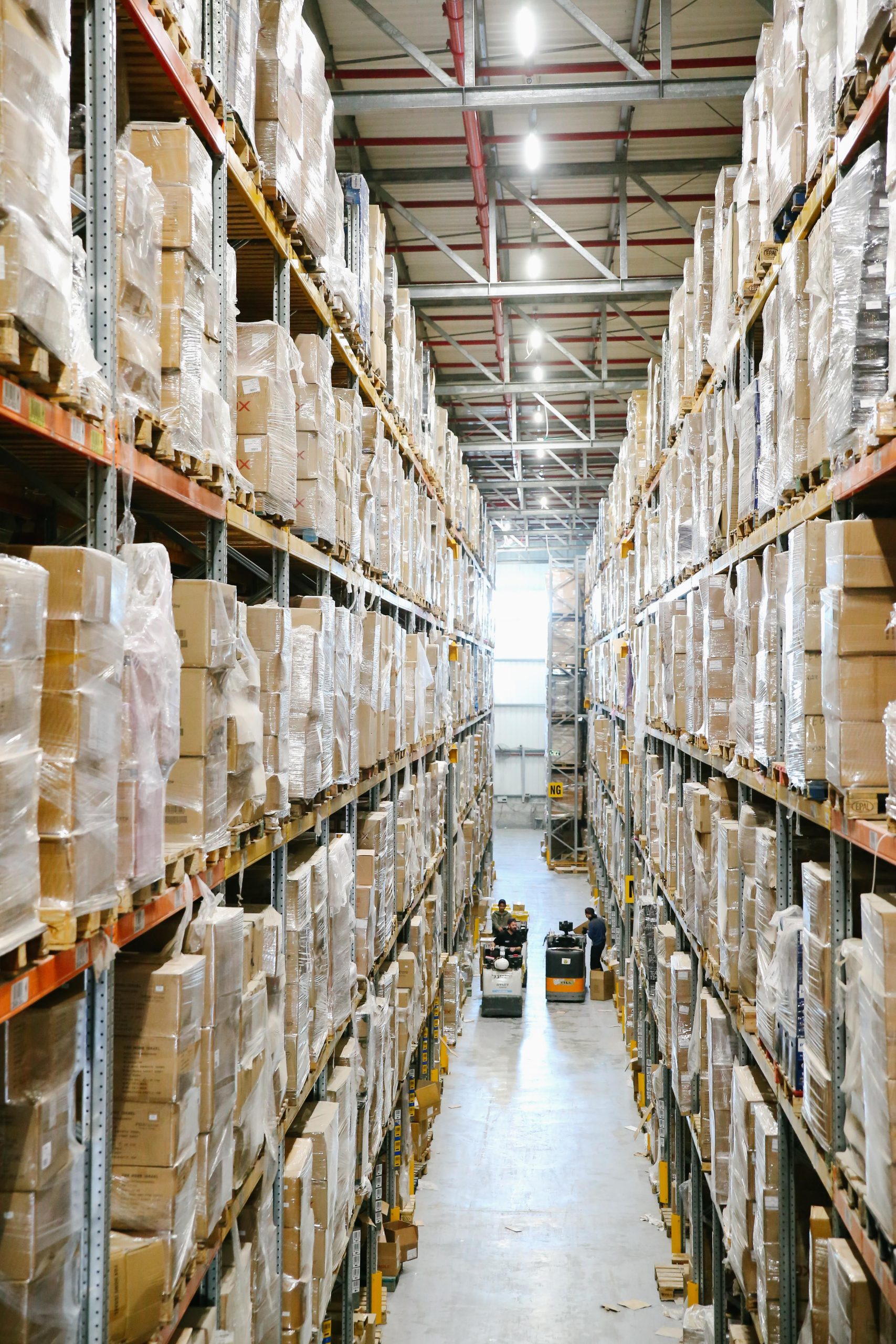
This matters for accountability as much as accuracy. A scanned, timestamped transfer record shows exactly what left one branch and what arrived at another, removing the guesswork and disputes that come with informal, unrecorded stock movements between locations.
Real-Time Stock Visibility Across Locations
A cloud-based POS setup means every branch’s stock count is visible from a single dashboard the moment it changes, not after an end-of-day sync. A head office manager can see which branch is carrying excess inventory of a slow-moving item and which is nearly out of a bestseller, and initiate a transfer before either becomes a real problem. This kind of visibility is what turns stock transfers from a reactive fix into a planned, ongoing part of how inventory is balanced across a growing retail group.
Cycle Counts and Stocktaking
Even with accurate scanning at every sale and transfer, physical stock still needs to be verified periodically against what the system shows, since shrinkage, damage and misplaced items happen regardless of how good the software is. Barcode scanning makes this process far faster than manual counting: staff scan each item on a shelf or in a section, and the system flags any variance against expected stock immediately, rather than someone cross-referencing a printed list by hand. Many retailers move to smaller, more frequent cycle counts of specific sections rather than one exhausting full-store count, since barcode scanning makes partial counts fast enough to do regularly.
Conclusion
Barcode scanning does more than speed up checkout, it becomes the single source of truth for stock across an entire retail operation, from the till to a transfer between branches to a routine cycle count. For UAE retailers running more than one location, that accuracy is what keeps inventory balanced across branches instead of one store sitting on excess stock while another turns customers away over an item it simply forgot it was low on.
Frequently Asked Questions
1. Do I need special hardware for barcode scanning?
A dedicated handheld or fixed scanner is common, though many POS systems also support scanning through a tablet or smartphone camera for smaller setups.
2. How does the POS know a transfer was received correctly?
The receiving branch scans each item against the transfer order, and the system flags any mismatch in quantity or item immediately.
3. Can barcode scanning handle products with size and color variants?
Yes, each variant is assigned its own barcode and tracked as a separate SKU with its own stock count.
4. How often should a retail store do a full stocktake?
With barcode-based cycle counts covering sections regularly, most retailers only need one full stocktake a year, rather than relying on it as the sole check.
5. Does barcode scanning work offline?
Most systems support offline scanning that syncs stock changes automatically once the connection is restored, so a brief outage doesn’t stop checkout.
Ready to bring barcode accuracy to your retail branches? Explore iTudeTech’s retail POS software or get in touch with our team to see how it fits your stores.